Business process automation

Intelligence, wired into every process.

We design workflows, deploy AI agents and connect whatever technology a process needs, then keep the whole system running for you.

Example process · a new enquiry, end to end

  1. 01 · Trigger New enquiry arrives Workflow · web form
  2. 02 · Analyse Enrich and score the lead AI agent · company data
  3. 03 · Decide Route by fit and value Workflow · your rules
  4. 04 · Act Book the call, update CRM Integration · CRM, calendar
  5. 05 · Report Summary to the team Workflow · Slack, 06:00

Connects the tools you already run

  • n8n
  • Make
  • Zapier
  • HubSpot
  • GoHighLevel
  • OpenAI
  • Twilio
  • Stripe
  • Slack
  • Airtable
  • WhatsApp
  • QuickBooks
  • Google Sheets
  • Notion
  • Gmail
  • Meta

About Aqlytic

Aqlytic joins aql, the mind, with analytic, the method. We study a process the way an analyst would, then give it a mind of its own: workflows, AI agents and integrations that run it end to end.

Placeholder numbers · owner to supply

01Automations deployed

0+

Running across five systems

02Saved per client, per month

0h

About one working week back, every month

03Tools integrated

0+

CRMs, billing, comms, data and ops

Capabilities

Systems that watch, decide and act.

Each system mixes rule-based workflows, AI agents and integrations, chosen for the job. It reports what it did and hands off to a person when it should.

99.9 % uptime · demo

Always-on monitoring

Server health, error spikes and API latency checked every minute, with alerts that say what broke.

Leads enriched Auto-replied
3.18Kdemo

Pipelines that fill themselves

Prospects found, enriched and contacted across channels, then logged to your CRM with the next step set.

You
What did we invoice this week?
Pulling Stripe and QuickBooks now. Recap ready in a moment.

Answers in seconds

Ask your business a question in plain words. An agent reads your tools and replies with the numbers.

Services

Five systems. Twenty automations.

Each system combines workflows, AI agents and integrations around your tools and data, and is monitored after launch.

01 / 054 automations

Voice & Conversational AI

Conversations handled by voice and chat agents, with every call and message flowing into your CRM.

  • Custom Intelligent Chatbots & AssistantsTrained on your docs and tone, live on site, WhatsApp and Messenger.
  • AI Voice & CRM Agent DeploymentPhone agents that answer, qualify and book, then write it to the CRM.
  • Hands-Free CRM Voice OperationsUpdate deals, add notes and set tasks by speaking.
  • Multi-Channel Conversational Support AgentsOne agent across chat, email and phone, with clean hand-off.
Explore voice and chat
A support agent wearing a headset at her desk On call · booking a demo

02 / 054 automations

Marketing, Media & Social Automation

Content produced, published and moderated on a schedule, without a production team.

  • End-to-End AI Video & Reel EngineeringScript, voice, edit and captions from one brief.
  • Multi-Channel Social Media AutomationPosts planned, resized and scheduled to every channel.
  • Automated Social & Community ModerationComments sorted, spam removed, real questions answered.
  • Autonomous Programmatic SEO & Blog PublishingResearched articles drafted, reviewed and published on schedule.
Explore marketing automation
A videographer filming with a handheld camera Reel scheduled · 3 channels

03 / 054 automations

Lead Generation & CRM Operations

A pipeline that finds, enriches and contacts the right people, then tidies up after every call.

  • Automated AI Lead Generation PipelinesIdeal-customer lists built and refreshed automatically.
  • Cross-Platform Data Enrichment & Contact ScrapersEmails, phones and firmographics verified and merged.
  • Meeting Lifecycle & CRM Task AutomationReminders, recaps and follow-up tasks after every call.
  • Multi-Channel Cold Outreach AutomationsEmail and LinkedIn sequences that stop when someone replies.
Explore lead generation
A team planning on a whiteboard Lead scored · routed to sales

04 / 054 automations

Financial & Compliance Automation

Invoices, tax and payouts handled the moment the work is done, with a clean audit trail.

  • Automated Billing & Legal Invoice GenerationCompliant invoices raised the moment work is done.
  • Localized Tax & VAT Compliance AutomationCorrect rates per region, reports ready to file.
  • Automated Multi-Party Payout & Revenue-Split ReportingSplits calculated and paid out with a clear statement.
  • Dynamic Variable-Fee & Incident Billing PipelinesUsage and incident fees billed from your own logs.
Explore finance automation
Hands using a calculator at a desk Invoice sent · payment link attached

05 / 054 automations

Infrastructure & Operations

Servers, APIs and logs watched around the clock, with fixes applied before customers notice.

  • AI-Powered Error Monitoring & Incident AlertsErrors grouped, explained and routed to the right person.
  • Automated DevOps Server Health MonitoringCPU, memory and disk watched with self-healing actions.
  • Legacy API & Real-Time Accounting SynchronizationOld systems kept in step with your accounting in real time.
  • Operational Log to Financial Resolution SystemsIncidents in your logs turned into credits, refunds or bills.
Explore infrastructure
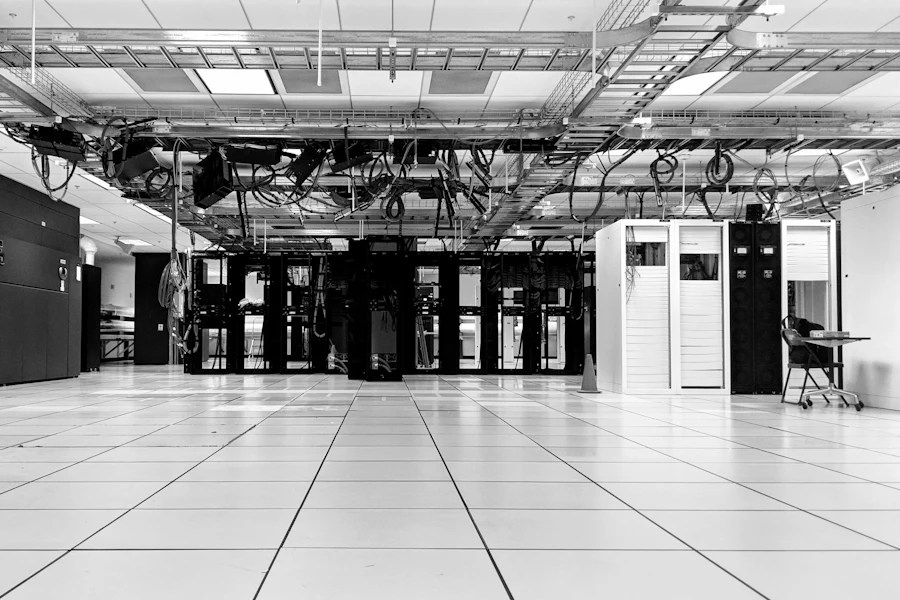
Racks of servers in a data centre All nodes healthy

How it connects

Every tool, connected to one mind.

We don't replace the tools you pay for. We connect them, analyse what flows between them and act on it, so a change in one shows up everywhere.

Sales

CRM

Leads, deals and notes kept current automatically.

HubSpotGoHighLevel

Comms

Voice & chat

Calls answered, chats replied, every conversation logged.

TwilioWhatsAppOpenAI

Ops

Monitoring

Errors and server health watched, incidents raised with context.

Slackn8n

Aqlytic core Workflows, agents and data in one layer
Finance

Billing

Quotes become invoices, invoices become reconciled payouts.

StripeQuickBooks

Marketing

Content & social

Reels, posts and blogs produced, scheduled and moderated.

MetaMake

Data

Enrichment

Contacts found, verified and synced across every list.

AirtableGoogle Sheets

Live operations

Watch your processes run.

Every system ships with a console like this: each workflow run, agent decision and sync, logged in plain words. Click around; it's a demo with example data.

Aqlytic console --:--:--

Process

From audit to autopilot.

Five weeks from the first call to a system running on its own, with one person on your side throughout.

  1. 1

    Audit Week 1

    We map how the work really happens and measure where the hours go.

  2. 2

    Map Week 2

    Each process drawn end to end: triggers, decisions, tools and people. You approve it before we build.

  3. 3

    Build Weeks 3–4

    Workflows, agents and integrations built on your stack and tested on real records.

  4. 4

    Run Ongoing

    Monitored daily, reported weekly, tuned as the business changes.

Start with an audit
A man working late at a desk in a dark office

Morning report · 06:00 · example

Overnight, your systems ran 214 tasks.
  • Invoices sent18
  • Leads qualified42
  • Needs a person2

Industries

Different sectors. The same repeat work.

Most businesses lose hours to the same ten jobs. We've wired them before, so your build starts from a working pattern.

  • Clinics & healthcare

    Appointment calls, reminders, intake forms

  • Real estate

    Lead capture, viewing bookings, follow-ups

  • E-commerce

    Support chat, order updates, social content

  • Agencies

    Client reporting, invoicing, revenue splits

  • Legal & finance

    Billing, VAT compliance, document intake

  • SaaS & tech

    Incident alerts, server health, API sync

Testimonials

“[Client quote about the result Aqlytic delivered, in their own words.]”

[Client name] · [Role, Company]

Placeholder · owner adds real testimonials

Pricing

Pick a starting point.

Placeholder pricing

Starter

[PRICE]

One automation, built and monitored.

Get started
  • [Feature]
  • [Feature]
  • [Feature]
Most chosen

Growth

[PRICE]

A full system across one department.

Get started
  • [Feature]
  • [Feature]
  • [Feature]

Scale

[PRICE]

Systems across the business, with a console.

Talk to us
  • [Feature]
  • [Feature]
  • [Feature]

FAQ

Questions, answered.

Still unsure? Talk to us and we'll walk through your workflow.

How long does a typical build take?

Most single automations go live in two to four weeks. A full system across a department takes around five.

Do you only build AI agents?

No. Many steps need a plain workflow, a script or an integration more than an AI model. We use whatever is most reliable for each step, and AI where judgement is needed.

Which tools do you work with?

Anything with an API or a webhook. Most builds use n8n, Make or Zapier alongside your CRM, inbox and billing tools.

Do I need a technical team?

No. We build, host and monitor everything. Your team approves the workflow map and uses the results.

What happens after launch?

Each system is watched for its first week, then reported on weekly. We tune and add workflows as you grow.

Is my data safe?

Every system gets only the access it needs, credentials stay in your accounts, and every action is logged.

Get started

Give your processes a mind.

Tell us which process eats your team's week. We'll reply within one working day with where automation would help first.

info@aqlyticai.com ·

Aqlytic – Process audit request